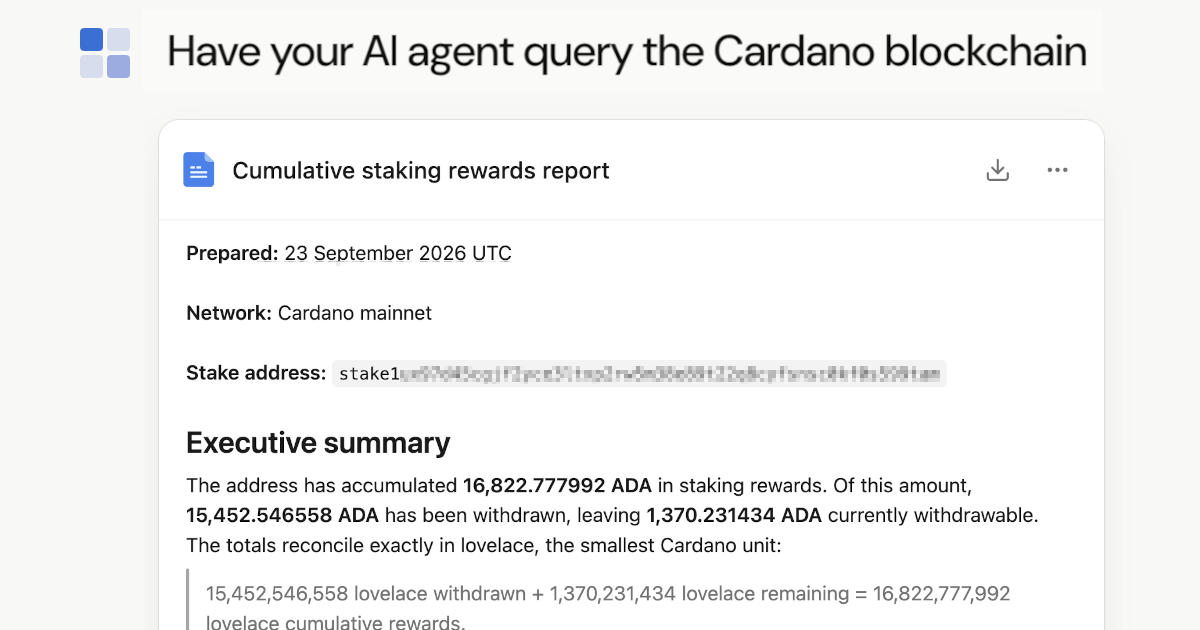
Querying on-chain data is now only a prompt away. What if you could ask an AI to prepare a quick report about your staking rewards? No programming, no fiddling with plotting functions; just one prompt.
If such technical terms don't tell you much yet, don't worry as they become clear when we step-by-step go through this manual.
example of querying staking rewards
The prompt might be as simple as: prepare a report about the cumulative staking rewards on my address: stake1abc0987.. and graph the rewards of the last 20 epochs.
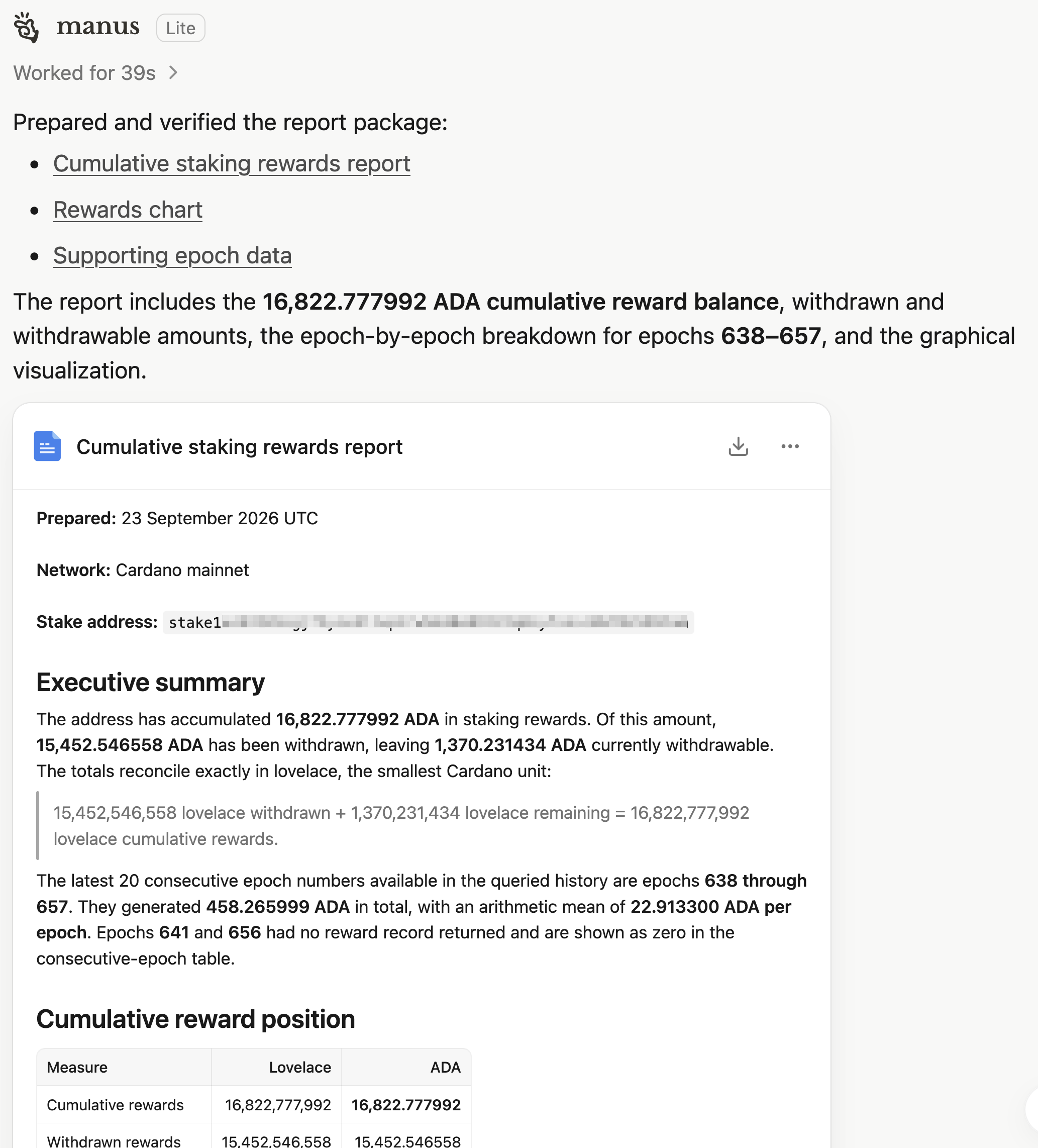
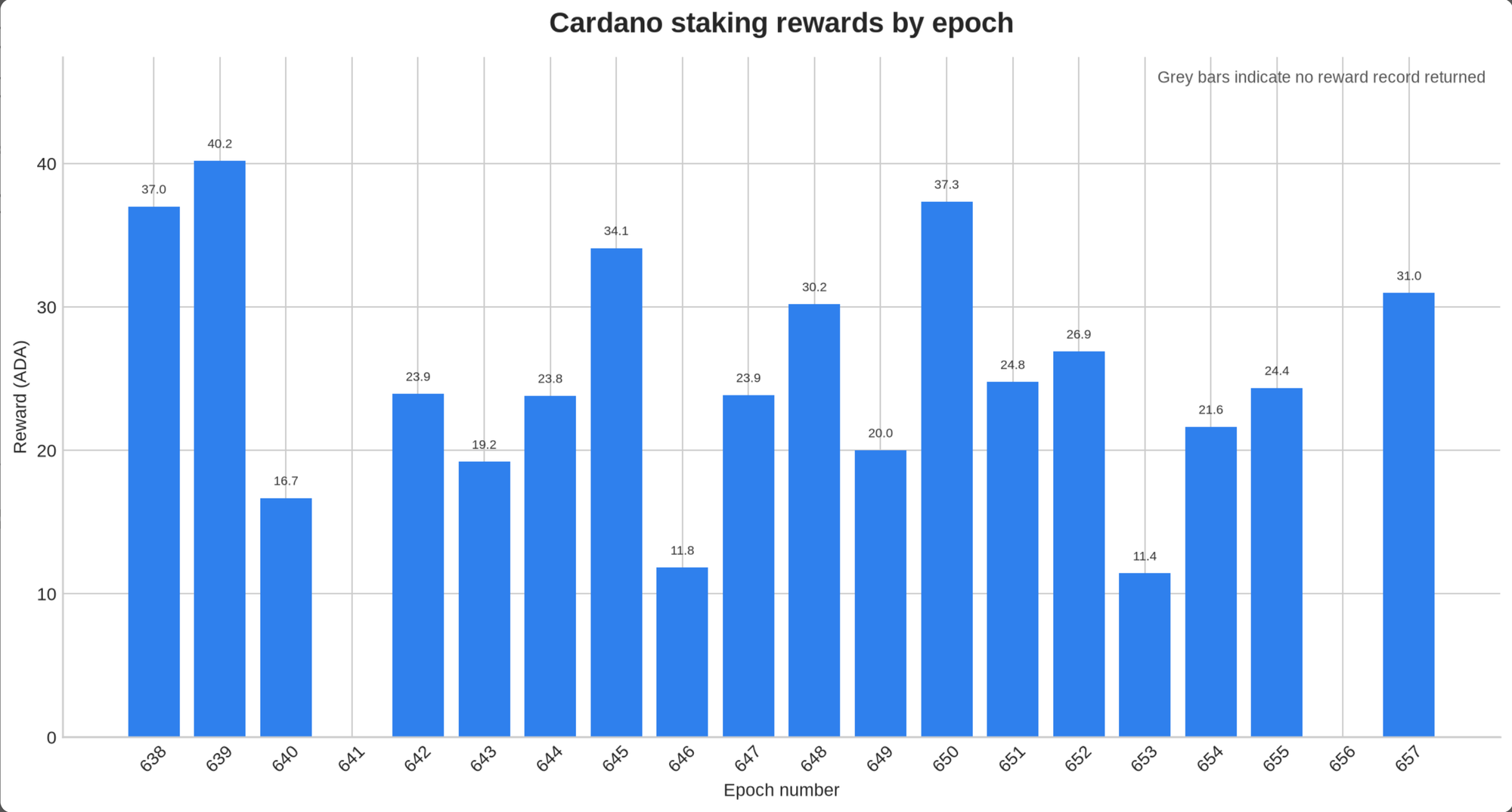
The AI has been busy getting the data from the Cardano API and summarizing it in a report with a table of the rewards and a graph showing the rewards of the last 20 epochs. All this took only 39 seconds.
Let's walk through the setup that makes this possible in seven simple steps. This takes about 10 minutes, and then you're ready to prompt the API yourself.
Walk-through
step 1: create an account and log in
First, you need a login on this site to create a personal API token. Head over to sign up here, or if you already have one, use your login.
These actions will send to your email address a magic link which provides you a secure login.
step 2: subscribe to the free trial of BCA's Cardano API
Next, create a subscription to our Cardano API. We provide a free trial period of five days, and it is fine if you cancel your subscription after that. Of course, we would be happy if we can convince you to stay. We hope this example and the step-by-step manual will help you use our AI-enabled API.
step 3: create a personal API token
Once you are logged in, you can create and manage personal API tokens on this page. The newly created token will only be shown once. Make sure to copy it to your computer into a password manager. We will need it in step 5.
If you think it has been compromised, delete it, create a new one, and update your connector.
step 4: create an account on manus.ai
We have chosen manus.ai as it provides a great user experience with a simple signup procedure. You may use this link, and we both get rewarded with some credits to run AI agents.
step 5: connect to BCA's MCP interface
The AI will use our MCP interface (Model Context Protocol) to talk to BCA's Cardano API and extract data from it. For this to work it needs to know where to connect and how to authenticate.
- open the settings in manus and create a new custom connector
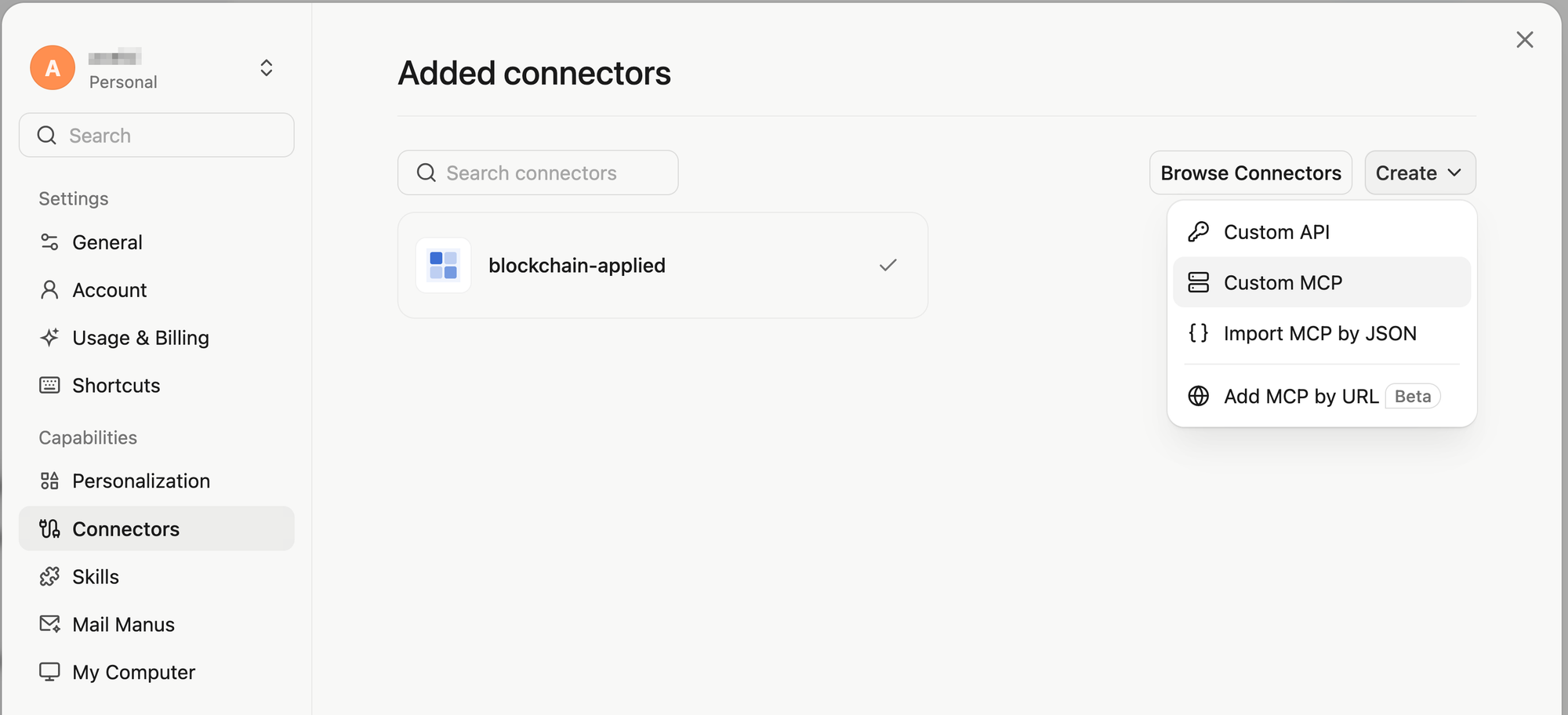
- fill in the form with your personal token and fill in the other fields with the data from this table:
| Field | Value |
|---|---|
| Server Name | blockchain-applied |
| Transport Type | HTTP |
| Server URL | https://mcp.blockchain-applied.com/mcp |
| Custom headers | Key: X-Api-Key, Value: your personal token from step 3 |
| Note | This MCP interface provides access to BCA Cardano API. The OpenAPI schema is available on https://schemas.blockchain-applied.com/cardano/api/openapi.json The provided credentials are personal, need to be protected, and may not be shared. |
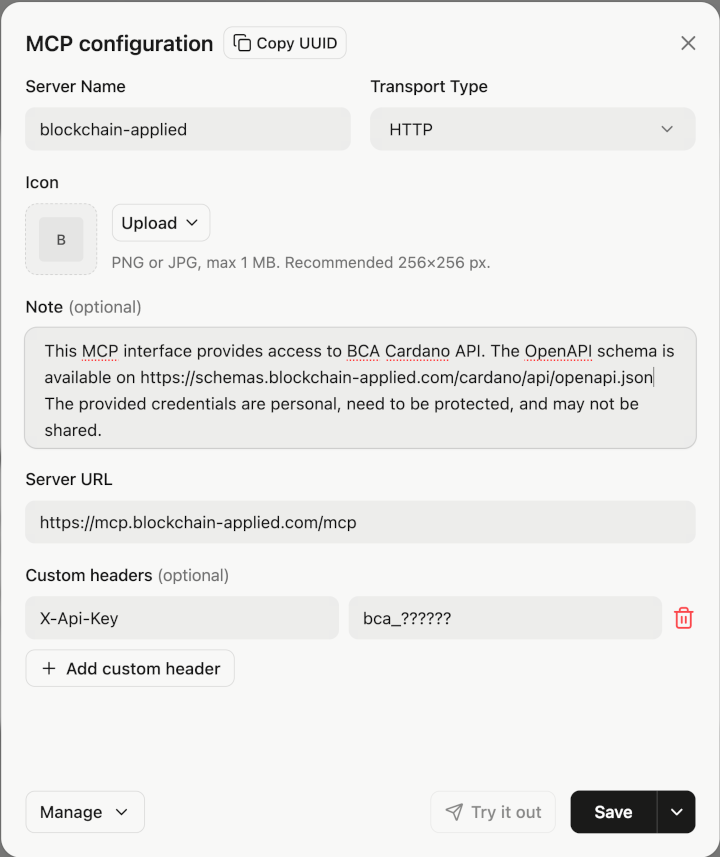
After "Save" you can try it out and have manus connect to it and run an example query. The output of such a test is shown below. If this works we can continue with adding a skill on top of the MCP server which directs the AI to query the API.
🤖 Agent output
Connector test completed
The blockchain-applied connector is enabled and working for Cardano mainnet.
Health check
| Field | Result |
|---|---|
| API | Cardano |
| Network | Mainnet |
| Status | Healthy |
| Database | Connected |
| Node | Up |
Data fetched
Using ada_get_latest_block:
| Field | Value |
|---|---|
| Epoch | 657 |
| Slot | 198,606,817 |
| Block hash | 66961341b24152d70c3467e5cf2a2b2d1ebc3001e3e75251a13122c53f79d026 |
| Block time | 2026-09-23 14:18:28 UTC |
| Network magic | 764824073 |
Using ada_get_current_epoch:
| Field | Value |
|---|---|
| Epoch | 657 |
| Blocks | 6,925 |
| Transactions | 46,798 |
| Size | 59,370,528 bytes |
| Epoch start | 2026-09-21 21:44:51 UTC |
| Epoch end | 2026-09-26 21:44:51 UTC |
API filled% value |
0.3206018519 |
Main capabilities
The connector exposes read-only Cardano queries for:
- Chain health, latest blocks, block metadata, block transactions, and epoch statistics.
- Address summaries and address transaction history.
- Full transaction details, including inputs, outputs, metadata, minted assets, and scripts.
- Native asset and NFT lookup, policy asset listings, and asset metadata.
- Stake address information, delegations, rewards, withdrawals, and staking transactions.
- Stake pool identifiers and pool information.
- Script and datum inspection.
- Metadata-based transaction searches.
Example workflow:
ada_get_latest_block
→ choose a block hash
→ ada_get_block_info
→ ada_get_block_txs
→ ada_get_transaction_details
Raw results from this test:
- API health response:
ada_check_api_health_01.json - Latest block response:
ada_get_latest_block_01.json - Current epoch response:
ada_get_current_epoch_01.json
The queries used the mainnet network and did not expose connector credentials.
step 6: install our skill set for working with the API
Our skill set will give the AI concrete directions how to query the API via the MCP interface and how to deal with the returned data. It further gives the AI agent information about the endpoints and how to query them. If an endpoint is paginated, then multiple queries are needed to get all the necessary results from the API. There are also pointers how to format the data and even provide visual representations. Feel free to update the SKILL.md with your own instructions.
- in manus open "Skills" and create a new one from Github
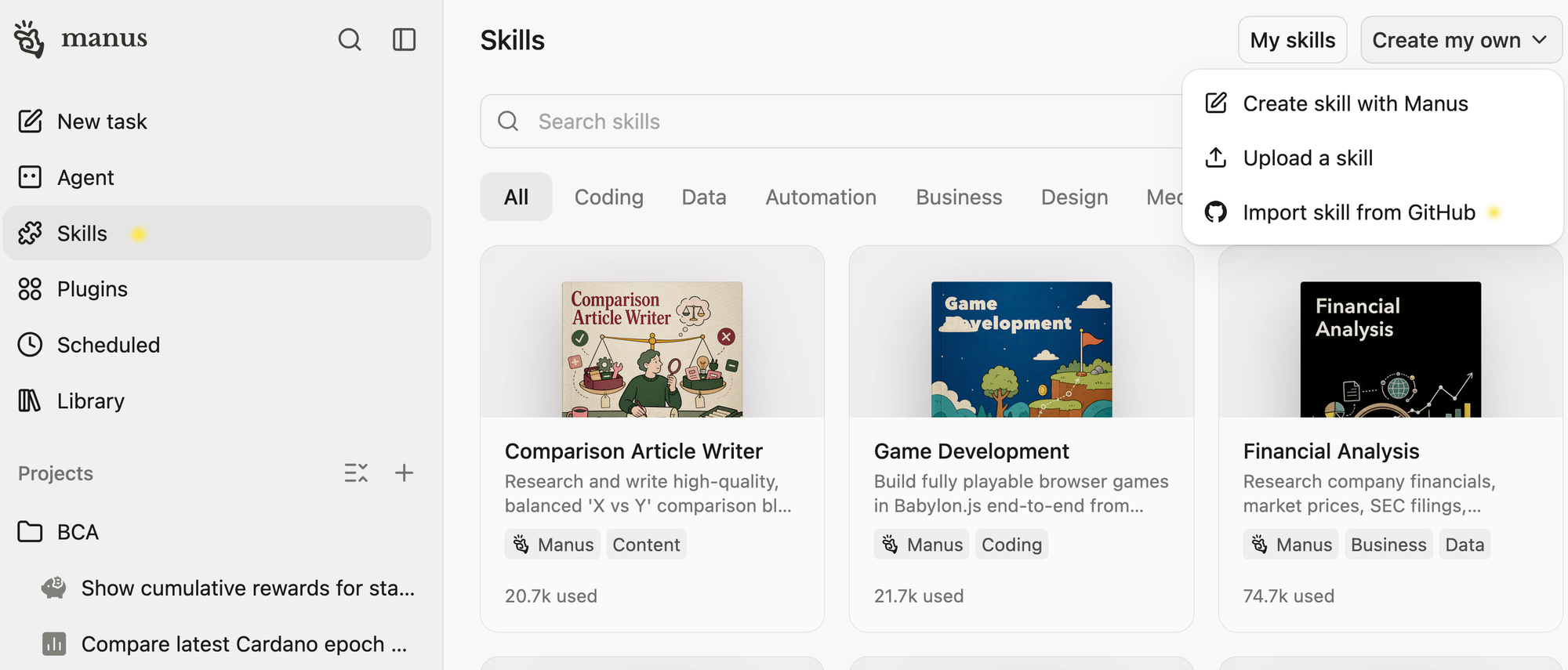
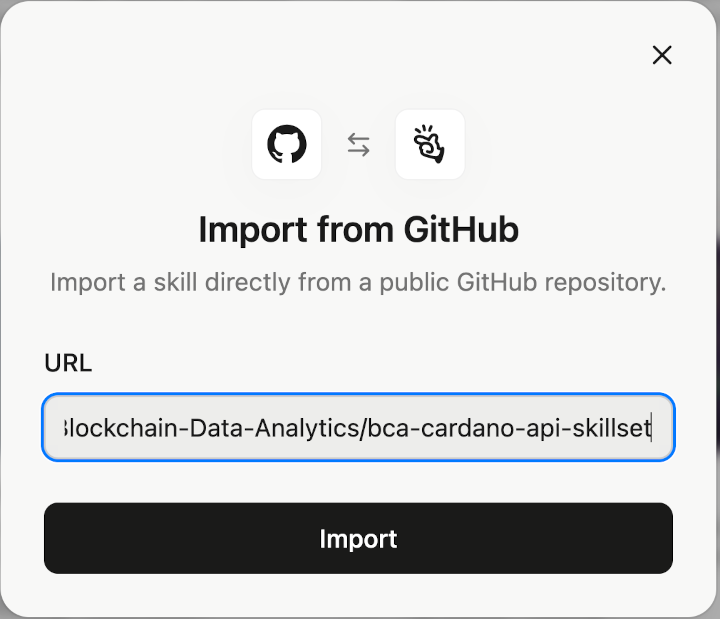
Now, the skill is imported and ready. The AI will use it as soon as it triggers from the context: maybe a request to get the current epoch, or show the cumulative rewards on a staking address.
step 7: all done, ready for querying
We can now query the BCA Cardano API through the MCP interface and the AI will have the directions from the skill set to choose the right endpoints and call them with the correct parameters. It will nicely format the result and even provide follow-up prompts depending on the context.
The prompt:
what is the latest Cardano epoch and slot number?
The response:
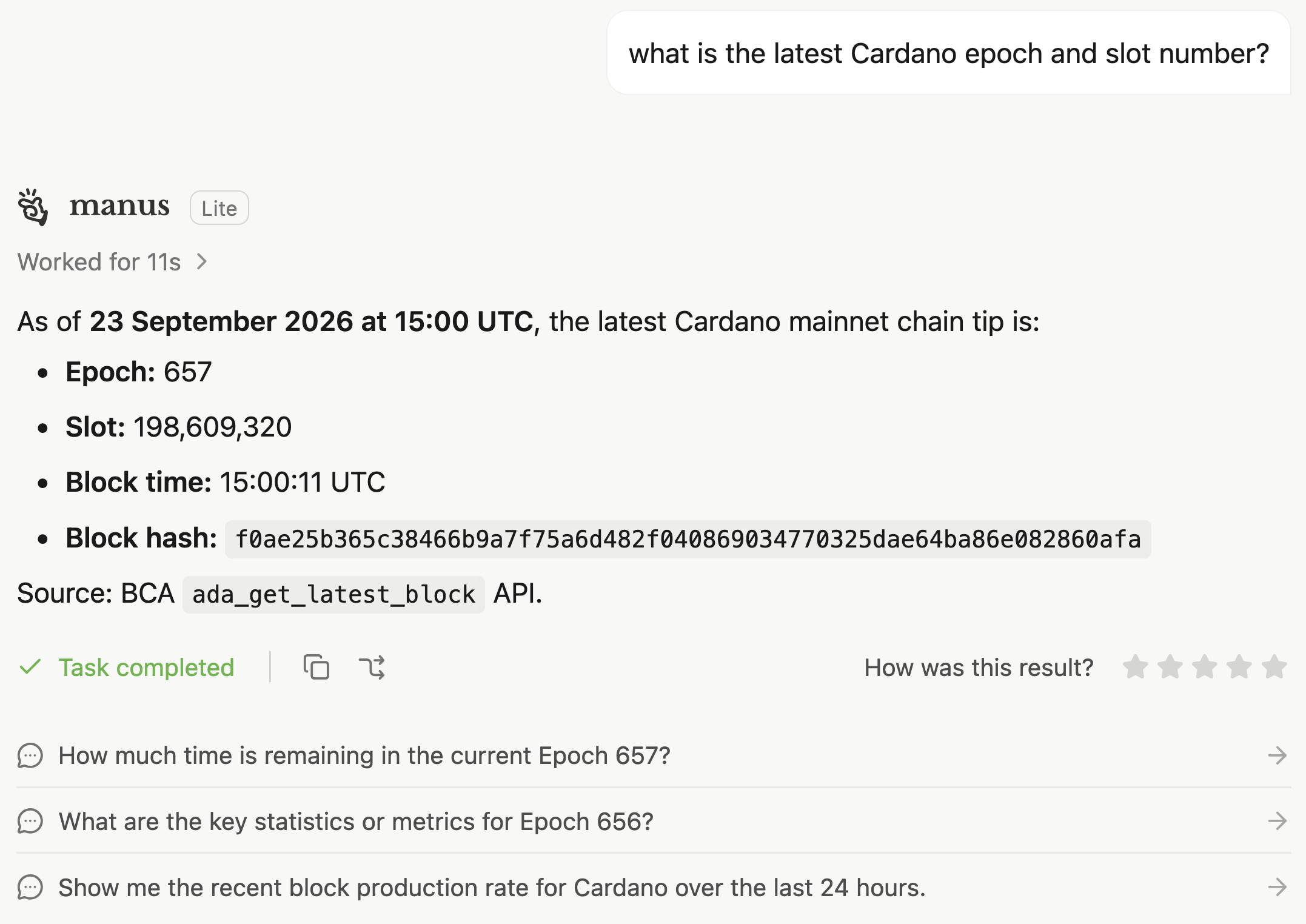
The AI has used the MCP endpoint "ada_get_latest_block" for querying the API and formatted the data nicely. It also provides follow-up prompts to further query the API.
Subscribe to our AI-enabled Cardano API with MCP interface so your AI can talk to the Cardano blockchain.